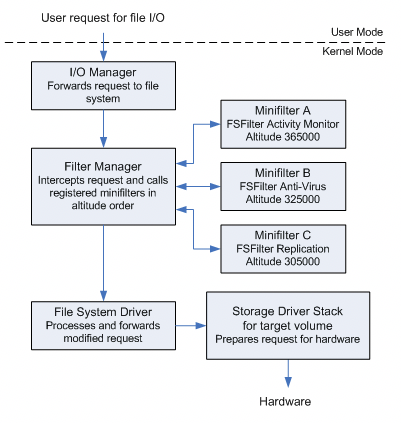
미니필터 드라이버 서비스 정상 구동 -> 인증서 서명 + 마이크로소프트 교차 서명 반드시 필요
1. App Certification Kit 설치
(https://learn.microsoft.com/ko-kr/windows/uwp/debug-test-perf/windows-app-certification-kit)
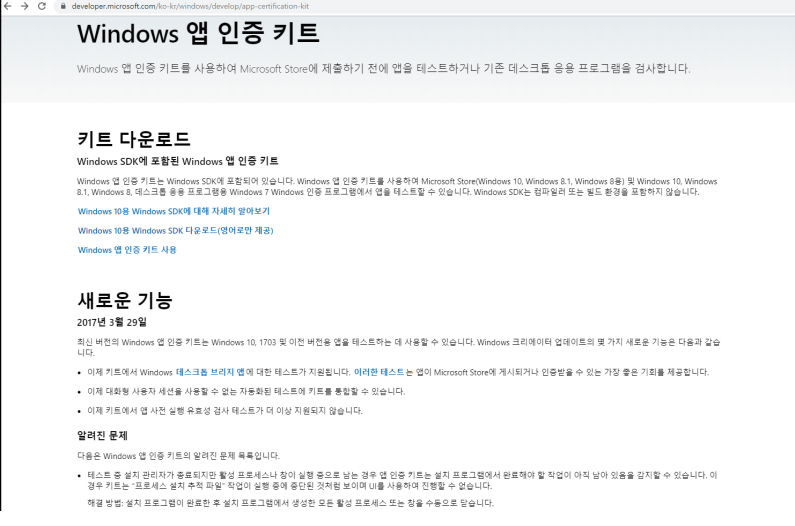
2. CMD 관리자 모드 -> App Certification Kit 설치 경로

3. SignTool.exe (서명 도구) 이용하여 서명
C:\> signtoll.exe [COMMAND] [OPTIONS] [FILE_NAME | ....][COMMAND]
- catdb : 카탈로그 파일 추가 혹은 제거
- sign : 디지털 서명 수행
- timestamp : 타임스탬프 기록
- verify : 디지털 서명 확인
[OPTIONS]
- /ac : 서명 추가, 주 서명 없으면 이 서명을 기본 서명으로 대체
- /n : 서명 인증서의 주체 이름 지정
- /fd : 파일 다이제스트 알고리즘 지정 (default : sha1)
- /tr : RFC 3161 타임스팸프 서버 URL 지정
C:\> signtool.exe sign /v /ac "인증서파일" /n "주체이름" /fd "알고리즘" /tr "타임스탬프의 서버" "드라이버파일명"
4. 캐비넷 (cab) 파일 생성을 위한 템플릿 지시문 파일 (test.ddf)
Microsoft Partner Center 교차 서명을 위해 cab 파일 생성 (why? 서명된 드라이버 파일 업로드 규칙)
cabwiz.ddf
.Set CabinetFileCountThreshold=0    ; no files per cabinet threshold
.Set FolderFileCountThreshold=0     ; no files per folder threshold
.Set FolderSizeThreshold=0          ; no folder size threshold
.Set MaxCabinetSize=0               ; no max size for the cabinet
.Set MaxDiskFileCount=0
.Set MaxDiskSize=0                  ; .cab 파일에 필요한 최대 크기의 공간을 잡는다.
.Set CompressionType=MSZIP
.Set Cabinet=on
.Set Compress=on
;Specify file name for new cab file
.Set CabinetNameTemplate=test.cab
; Specify the subdirectory for the files.
; Your cab file should not have files at the root level,
; and each driver package must be in a separate subfolder.
.Set DestinationDir=test
;Specify files to be included in cab file
;파일에 포함될 파일들
D:\signing\test.inf
D:\signing\test.sys
5. cab 파일 생성 명령어 실행
C:\> makecab -f test.ddf
6. cab 파일 SHA 256 서명
C:\> signtool.exe sign /ac "C:\MyEVCert.cer" /s MY /n "Company Name" /fd sha256 /tr http://sha256timestamp.ws.symantec.com/sha256/timestamp /td sha256 /v "test.cab"
7. 마이크로소프트 파트너 센터 cab 파일 업로드
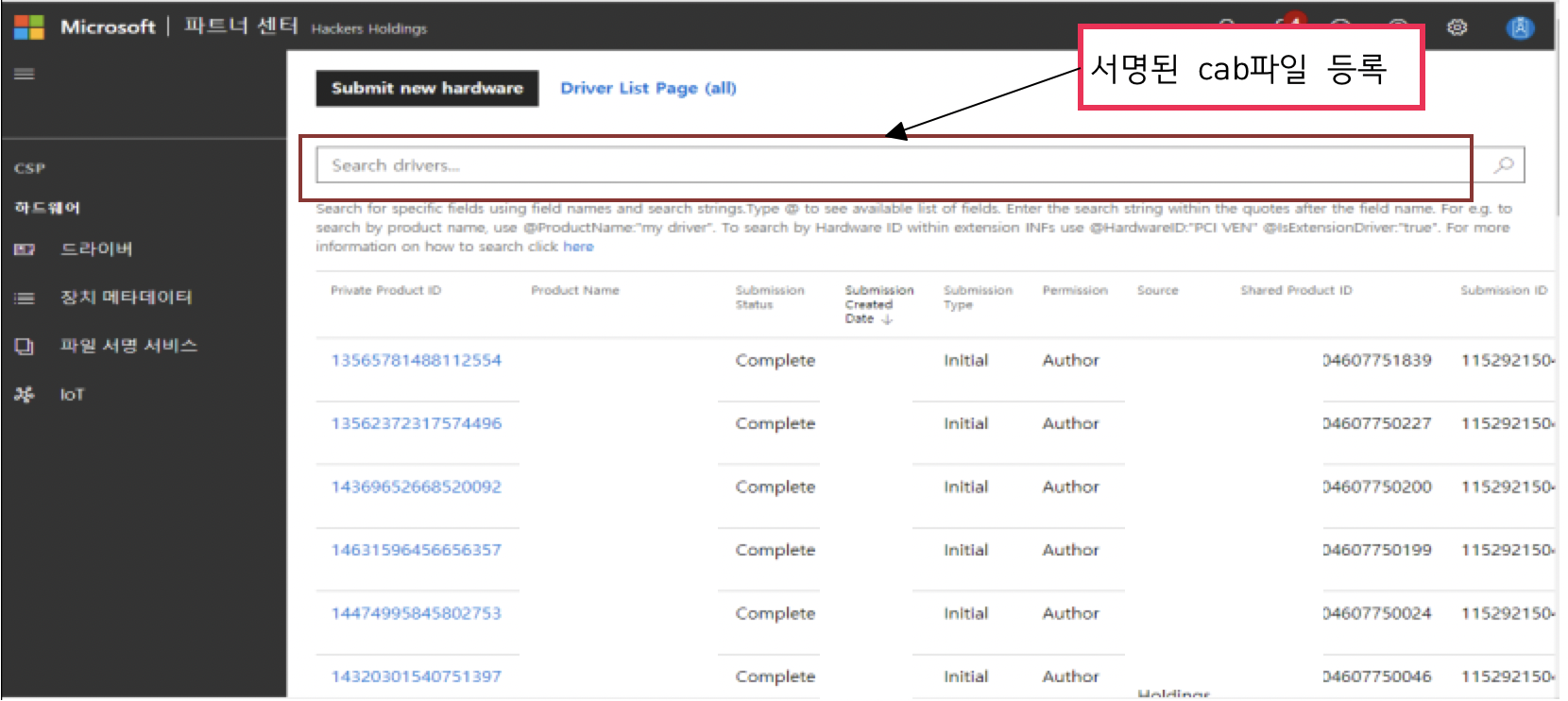
8. Product name 등록

9. 드라이버 환경 선택 (모두 선택)
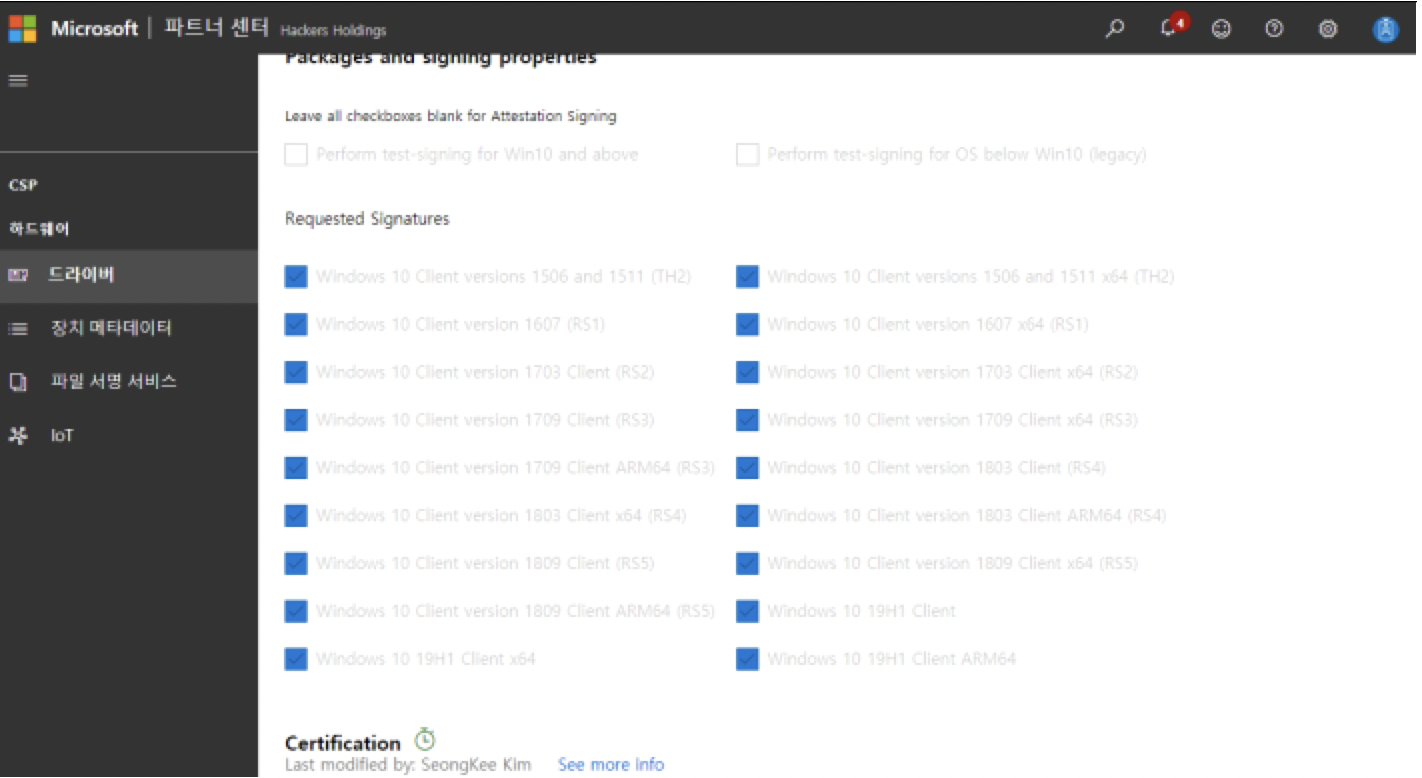
10. 서명 완료후 More 버튼 클릭
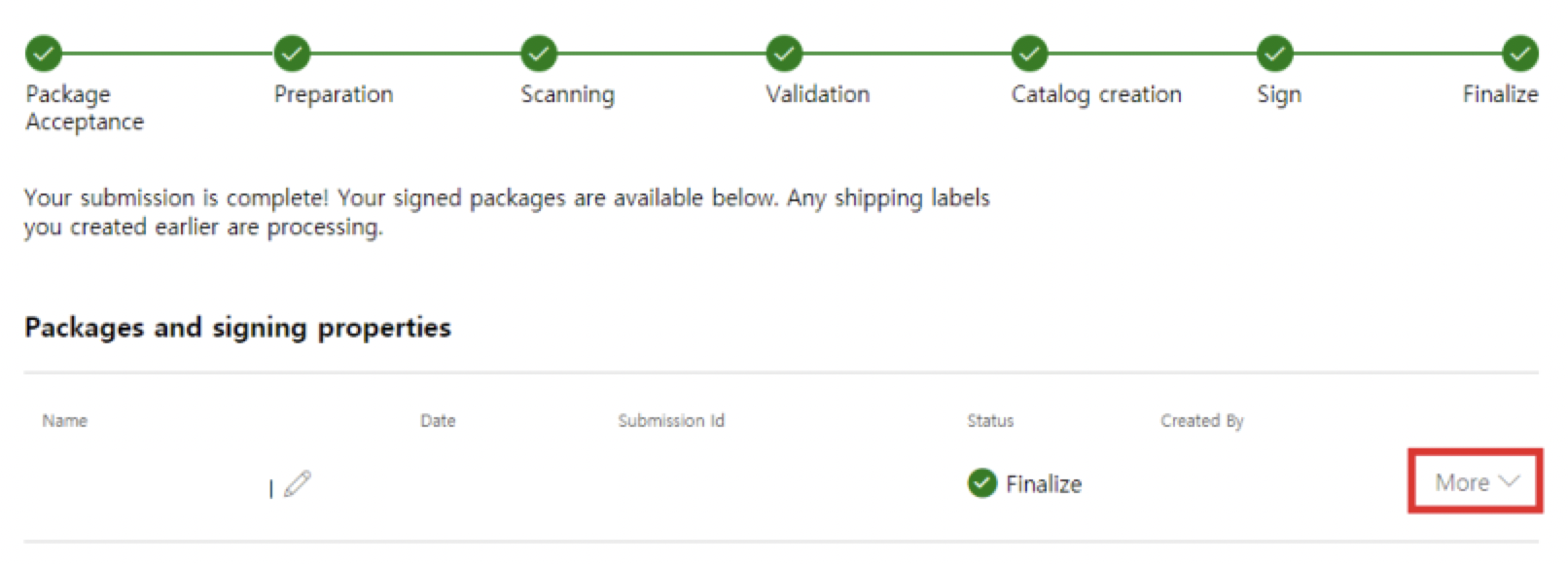
11. singed파일(Download signed files 버튼)
다운로드 파일
- 업로드 package(cab)파일 (압축 해제 : 사설 인증 서명된 드라이버 파일)
- Download initial package 파일 ( 압축 해제 : 사설 인증 + MS 서명 = 교차 서명 된 드라이버 파일)

'Development > Window Driver' 카테고리의 다른 글
| 미니필터 드라이버란? (0) | 2022.12.12 |
|---|